
Merge a GitHub PR
GitHub PR merge loyalty rule. Reward users for getting pull requests merged into your repository.
Overview
This loyalty rule allows admins to reward users for merging pull requests to a specific branch in a GitHub repository. This rule is useful for incentivizing contributions to your open-source projects and rewarding active developers who merge PRs to your codebase.
Prerequisites
- The user must have connected their GitHub account to Snag.
- The user must have merged at least one pull request to the specified branch in the target repository.
- The user's GitHub access token must be valid and have appropriate permissions to access the repository.
Rule Configuration Fields
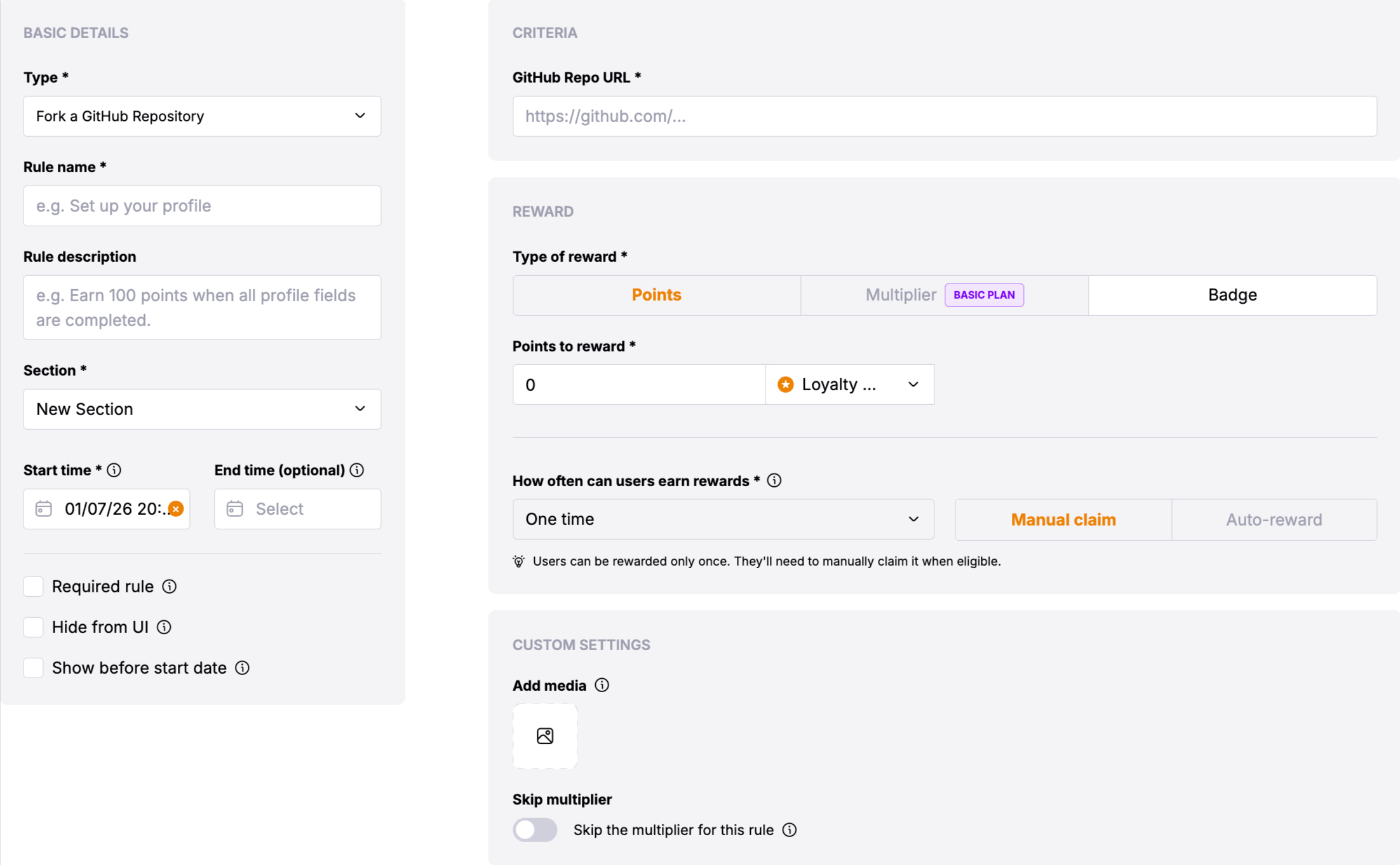
Reward
-
Type of Reward: Choose between "Points" or "Multiplier".
-
Points: Users will receive the defined number of points based on their activity or achievement.
-
Multiplier: Users will receive the multiplier of the defined range based on their qualification level.
-
Required Range: Define a numerical range for eligibility (tokens, actions, followers, messages count, etc.).
-
Points to Reward: Define the number of points assigned for the specified qualification range.
-
Add New Range: Allows defining multiple qualification ranges with corresponding rewards.
Basic Settings
- Update Cadence: The Merge GitHub PR rule can be configured to run on a daily, weekly, or monthly interval. The system will check for merged PRs during each interval period.
- User Reward Frequency: Users can claim rewards once, daily, weekly, or monthly based on the configured frequency. The system tracks merged PRs within the specified time window.
Time Window Restriction: Only PRs merged within the last interval period are counted toward rewards. For example: - Daily rule: Only PRs merged from the last day to today will be counted - Weekly rule: Only PRs merged from the last week to today will be counted - Monthly rule: Only PRs merged from the last month to today will be counted PRs merged outside of this time window will not be included in the reward calculation.
Custom Settings
- Skip the multiplier for this rule: Toggle to skip the multiplier for this rule
- GitHub Repo URL *: The full URL of the GitHub repository where users need to merge PRs (e.g.,
https://github.com/owner/repository). This is a required field that identifies the target repository. - GitHub Branch Name: The name of the branch where PRs must be merged (e.g.,
main,develop,master). If not specified, the system defaults tomain. Only PRs merged to this specific branch will be counted.
Verification Process
Users verify their GitHub PR merges through the following process:
Users must first connect their GitHub account to Snag if they haven't already done so. The system requires a valid GitHub OAuth access token to verify PR merges.
Users create and merge a pull request to the specified branch in the target GitHub repository. The PR must be merged (not just opened or closed) to count toward the reward.
After merging PRs, users can claim the reward through the loyalty rule interface. The system will verify the number of merged PRs within the configured time window.
The system verifies that: - The user's GitHub account has access to the repository - The user has merged PRs to the specified branch - The PRs were merged within the configured time window (based on the rule's interval) - The repository URL and branch name match the configured values - The merged PRs were authored by the user's connected GitHub account
The system counts the total number of merged PRs within the time window and calculates rewards based on the configured range tiers. If range-based rewards are configured, users receive rewards corresponding to the number of PRs they've merged.
Once verified, users receive their reward based on the number of merged PRs and the configured reward ranges.
How It Works
The rule uses the GitHub Search API to count merged pull requests. The system:
-
Queries GitHub API: Searches for merged PRs using the GitHub Search API with filters for:
- Repository owner and name
- Branch name (base branch)
- Author (the user's GitHub username)
- Merge date (within the last interval period - e.g., last 24 hours for daily rules, last 7 days for weekly rules, last 30 days for monthly rules)
- PR status (merged only)
-
Counts Merged PRs: Returns the total count of merged PRs matching the criteria.
-
Calculates Rewards: If range-based rewards are configured, the system matches the PR count to the appropriate reward tier and distributes the corresponding reward.
-
Handles Token Refresh: The system automatically refreshes expired GitHub access tokens when needed to ensure continuous verification.
Important Notes
The GitHub Repo URL should be in the format
https://github.com/owner/repository. The system will automatically parse the
owner and repository name from the URL.
The GitHub Branch Name is optional and defaults to main if not specified.
Only PRs merged to the specified branch will be counted. Make sure the branch
name matches exactly (case-sensitive).
The system only counts PRs that have been merged (not just opened or closed). Draft PRs or PRs that were closed without merging will not be counted.
The rule supports range-based rewards, allowing you to reward users with different amounts based on the number of PRs they've merged. For example, you can reward 10 points for 1-2 PRs, 25 points for 3-5 PRs, and 50 points for 6+ PRs.
Interval-Based Counting: The system only counts PRs merged within the current interval period. When the rule runs: - For daily rules: Only PRs merged in the last 24 hours (from the last run to now) are counted - For weekly rules: Only PRs merged in the last 7 days (from the last run to now) are counted - For monthly rules: Only PRs merged in the last 30 days (from the last run to now) are counted This ensures that users are rewarded for recent contributions within each interval, not for all-time PR counts.
Example Use Cases
- Open Source Projects: Reward contributors who merge PRs to your main branch
- Development Teams: Incentivize team members to merge PRs to specific feature branches
- Community Engagement: Encourage community contributions by rewarding merged PRs on a weekly or monthly basis
- Quality Contributions: Use range-based rewards to incentivize multiple contributions (e.g., more PRs = higher rewards)