
Become a GitHub Repository Collaborator
GitHub collaborator loyalty rule. Reward users who are collaborators on your repository.
Overview
This loyalty rule allows admins to reward users for becoming a collaborator on a specific GitHub repository. This rule is useful for recognizing and incentivizing contributors who have been granted collaborator access to your repository.
Prerequisites
- The user must have connected their GitHub account to Snag.
- The user must be added as a collaborator to the specified GitHub repository by the repository owner or administrator.
Rule Configuration Fields
Reward
-
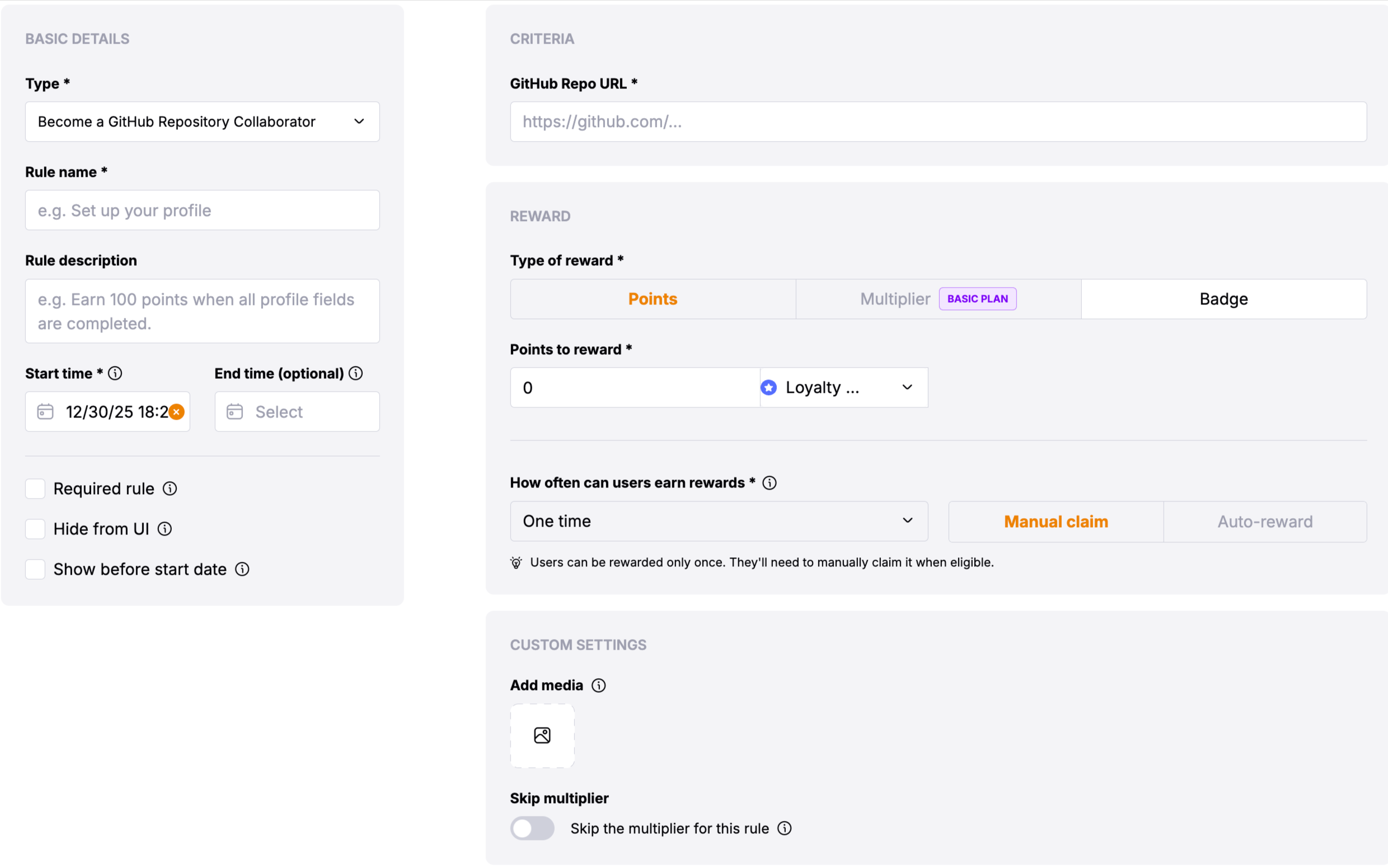
Type of Reward: Choose between "Points" or "Multiplier".
-
Points: Users will get the defined no of points.
-
Multiplier: Users will get the multiplier of the defined amount.
Basic Settings
- Update Cadence: The GitHub Repository Collaborator rule rewards users immediately upon successful verification that they are a collaborator on the repository.
- User Reward Frequency: This is a one-time reward that users can claim after being added as a collaborator.
Custom Settings
- Skip the multiplier for this rule: Toggle to skip the multiplier for this rule
- GitHub Repo URL *: The full URL of the GitHub repository where users need to be collaborators (e.g.,
https://github.com/owner/repository). This is a required field that identifies the target repository.
Verification Process
Users verify their GitHub repository collaborator status through the following process:
Users must first connect their GitHub account to Snag if they haven't already done so.
Repository owners or administrators must add the user as a collaborator to the specified GitHub repository through the repository settings.
After being added as a collaborator, users can claim the reward through the loyalty rule interface.
The system verifies that: - The user is listed as a collaborator on the specified repository
Once verified, users receive their reward immediately.
Important Notes
The GitHub Repo URL should be in the format
https://github.com/owner/repository.
To add a user as a collaborator, go to your repository on GitHub, navigate to Settings → Collaborators, and add the user by their GitHub username. The user will need to accept the collaboration invitation before they can claim the reward.